The Drumbeam already sends a MIDI CC value based on where your stick lands. Ableton Live already supports MPE Slide as a per-note expression dimension. The Electronic Drum Position to MPE Slide M4L Pack bridges the two — converting your pad’s positional CC data into MPE Slide in real time, so hitting the same zone in different positions changes the sound without touching a single knob.
What Is MPE Slide?
MPE (MIDI Polyphonic Expression) lets individual notes carry their own expression data independently. Slide — transmitted internally as CC 74 — is one of those dimensions. Ableton’s built-in instruments (Drift, Wavetable, Sampler, Drum Sampler, Analog, Meld) all support slide as a modulation source. Many stock presets already have it mapped to filter frequency, LFO rate, or pitch modulation. The infrastructure is already there — the pack provides the missing conversion step.
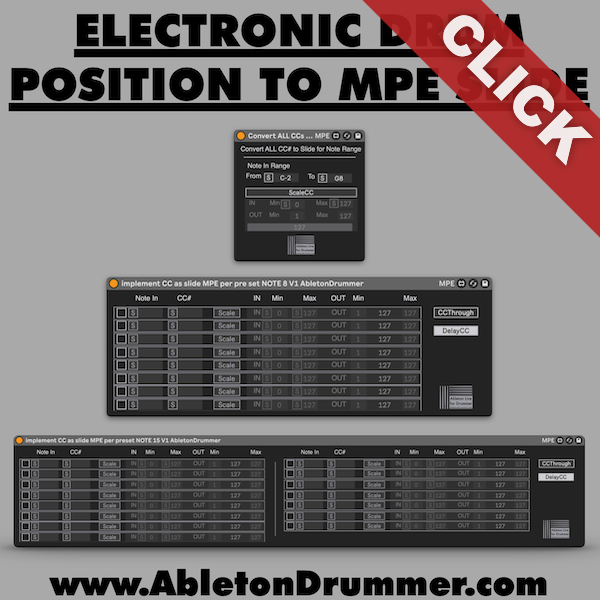
Electronic Drum Position to MPE Slide — Three Devices
Convert All CCs to Slide for Note Range: The simplest starting point. Listens to all incoming CC numbers from your controller within a set note range and converts them to MPE Slide. Ideal for monophonic playing or single drum sounds.
Implement CC Slide MPE (8 notes): Polyphonic mode for up to 8 simultaneous notes. Each note slot maps an individual note and CC number, enabling independent slide per voice.
Implement CC Slide MPE (15 notes): Same as above, extended to 15 simultaneous notes for denser polyphonic setups.
Setup Tips
Add a Note Length device before the conversion device in the chain — drum controllers send note-off immediately after the hit, which cuts expression too short for slide to register meaningfully. Set the length to a quarter note or longer as a starting point.
Use the device’s CC range scaling to compensate for your natural playing position. The Drumbeam sends 0–127 across the full zone width, but in performance you rarely hit the absolute edges. Set a custom input range — for example 20–110 — so moderate hits still output the full expression range.
Polyphonic Per-Note Expression
With the polyphonic devices, each note in a chord carries its own independent slide value. One voice can have its filter fully open while another stays closed — simultaneously, controlled entirely by where your stick lands on each respective pad zone. That level of per-note control is not possible with standard MIDI CC mapping.
Requirements
Ableton Live 12 with Max for Live (included in Suite, or available as an add-on for Standard). Any drum controller that sends positional CC data — Drumbeam, Bop Pad, or similar. Most features also run in Live 11, but full compatibility is guaranteed for Live 12 and above.